
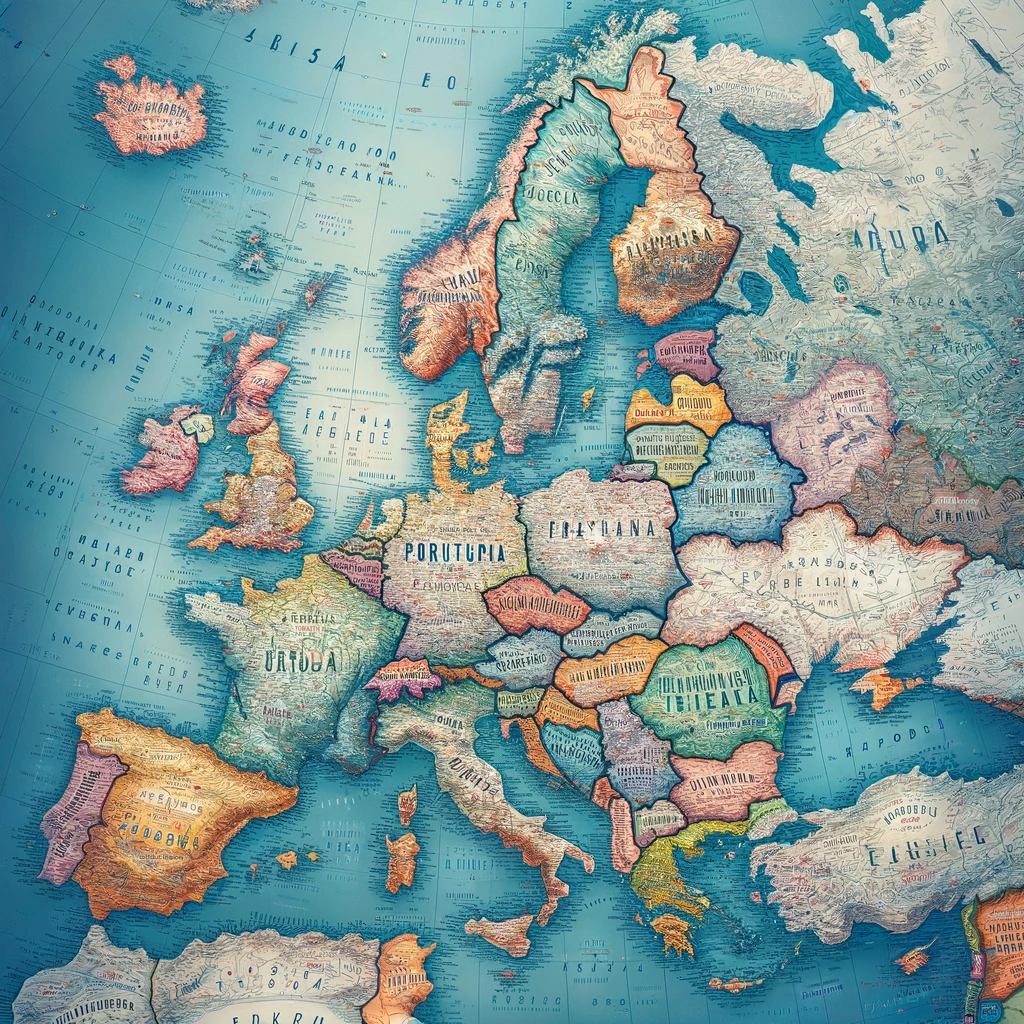

Euro Map on Google
Accessing Euro Maps on Google
Using Google Maps to explore European maps is both efficient and user-friendly. Whether you’re planning a trip, studying geography, or just curious, Google Maps provides a wealth of information and handy tools for viewing and navigating maps of Europe.
How to Find and View Maps of Europe
- Open Google Maps: Start by accessing Google Maps through your web browser or the mobile app.
- Enter a Location: In the search bar, type in the name of the European country, city, or specific landmark you wish to view. Press enter, and Google Maps will display the area.
- Zoom In/Out: Use the plus (+) and minus (-) buttons on the screen to zoom in for detailed views or zoom out to see larger areas.
Navigating Google Maps: Basics and Tools
- Move Around: Click and drag your mouse (or use your finger on mobile devices) to move across the map.
- Different Views: Toggle between ‘Map’ view for a traditional map appearance and ‘Satellite’ view for aerial imagery. The ‘Terrain’ feature can also be useful for understanding topography.
- Street View: For a ground-level view, drag the yellow Pegman icon to any blue-lined street.
Tips for Efficiently Using Google Maps
- Search Functionality: Utilize the search function for quickly finding addresses, places of interest, and establishments.
- Traffic Conditions: View real-time traffic updates by selecting the ‘Traffic’ layer from the menu.
- Route Planning: Use Google Maps for directions by entering your start and end points, and select your mode of transport.
Features Specific to European Mapping
- Public Transportation Routes: Google Maps provides extensive information on public transport systems in many European cities, including bus, tram, and train routes.
- Cycling and Walking Paths: Many European cities are bike and pedestrian-friendly; use Google Maps to find suitable paths.
- Cultural Landmarks and Tourist Attractions: Google Maps offers detailed information on points of interest, including historical sites, museums, and other attractions.
Saving and Bookmarking Maps for Future Use
- Marking Favorite Places: You can save places by clicking on them and selecting ‘Save’. Organize saved locations into lists like ‘Favorites’ or ‘Places to Visit’.
- Custom Maps: Create your custom maps using the ‘My Maps’ feature. Add personal notes, routes, and areas of interest.
- Offline Maps: Download maps for offline use, especially useful if you anticipate being without internet access.
Understanding Geographic Boundaries in Europe
Europe’s geographic and political landscape is characterized by its rich history and diverse natural landscapes. Understanding the intricacies of its boundaries, both political and natural, is crucial for a comprehensive grasp of the continent’s geography and history.
Overview of European Countries and Regions
Europe is comprised of over 40 countries, each with its own distinct culture, history, and geographical features. These countries are often grouped into regions based on geographical, cultural, or political criteria, such as Northern, Southern, Eastern, and Western Europe. Each region has unique characteristics and historical backgrounds contributing to Europe’s rich diversity.
Political Boundaries vs. Natural Landscapes
- Political Boundaries: These are defined by governmental and administrative borders. Political boundaries often change due to historical events like wars, treaties, and diplomatic agreements.
- Natural Landscapes: Natural boundaries include mountains, rivers, and seas. For example, the Alps and the Pyrenees are significant mountain ranges that have historically acted as natural borders in Europe.
Historical and Contemporary Border Changes
Europe’s history is marked by numerous border changes, influenced by wars, colonization, and political shifts. Understanding these changes is vital to comprehending the current political landscape. For instance, the dissolution of the Soviet Union led to the emergence of new independent states, significantly altering Europe’s political map.
Utilizing Layers in Google Maps for Clarity
Google Maps offers various layers and tools that can help in visualizing and understanding the geographic boundaries of Europe:
- Political Map Layer: Shows current political borders.
- Terrain Layer: Helps identify natural geographical features like mountains and rivers.
- Street View and Satellite: Provide ground-level and aerial views for a more detailed understanding of how geographical and political boundaries intersect.
Challenges in Mapping Diverse European Regions
Mapping Europe poses certain challenges due to its diverse and complex nature:
- Historical Complexity: The continent’s long and complicated history affects the understanding and representation of its current boundaries.
- Cultural Diversity: Europe’s diverse languages, cultures, and historical contexts can influence how maps are interpreted and understood.
- Dynamic Borders: Ongoing political changes, such as those related to the European Union, can affect border dynamics.
Using Google Maps for Travel Planning in Europe
Google Maps is an invaluable tool for travelers planning to explore Europe. Its extensive features allow for detailed route planning, discovery of points of interest, and even virtual exploration of cities.
Route Planning and Directions Across Countries
- Cross-Country Navigation: Google Maps provides accurate driving, walking, and cycling directions across various European countries. Simply enter your starting point and destination to receive detailed route options.
- Estimate Travel Time: The app estimates travel time based on the mode of transportation, helping you plan your itinerary efficiently.
Discovering Points of Interest: Landmarks, Museums, Restaurants
- Exploring Attractions: Use Google Maps to find popular tourist attractions, museums, and historical landmarks. User reviews and ratings can help you decide which places to visit.
- Finding Restaurants and Cafes: Discover dining options by searching for nearby restaurants, cafes, and bars. Look at user reviews, photos, and menus to make informed choices.
Using Street View to Explore European Cities Virtually
- Virtual Tours: Before visiting, use Street View to take virtual walks through European cities. This feature provides a real-life view of streets, helping you familiarize yourself with the area.
- Scouting Locations: Street View can be particularly useful for scouting specific locations like hotels, restaurants, or transit stations in advance.
Customizing Maps for Personal Itineraries
- Creating Custom Maps: Utilize Google Maps’ “My Maps” feature to create custom itineraries. Pin specific locations, add notes, and organize your travel plans.
- Sharing with Fellow Travelers: Custom maps can be shared with fellow travelers, making group travel planning more collaborative and efficient.
Integrating Public Transport Information
- Transport Routes and Schedules: Google Maps offers detailed public transport information in many European cities, including bus and train routes, schedules, and transit directions.
- Seamless Navigation: Integrate public transportation into your travel plans for seamless navigation. Google Maps provides options for combining walking with public transport to reach your destination.
Features of Google Maps for Business and Commerce
Google Maps offers a suite of features beneficial for businesses and commercial activities, particularly in Europe. From locating businesses and analyzing markets to optimizing logistics, its tools provide valuable insights and real-time information.
Identifying Business Locations and Reviews
- Business Listings: Google Maps allows businesses to list their locations, making them easily discoverable to customers. This includes details like address, contact information, and operating hours.
- Customer Reviews and Ratings: Businesses on Google Maps can accumulate customer reviews and ratings, providing valuable feedback and enhancing their credibility and visibility.
Mapping Supply Chains and Logistics Networks
- Route Planning for Deliveries: Google Maps can be used for planning delivery routes efficiently, considering factors like distance and real-time traffic conditions.
- Network Visualization: For businesses involved in logistics and supply chain management, Google Maps offers tools to visualize networks, helping in route optimization and cost reduction.
Market Analysis and Demographic Insights
- Demographic Data: Using Google Maps, businesses can access demographic insights of specific areas, aiding in market analysis and targeted marketing strategies.
- Competitor Analysis: The platform allows businesses to research competitors’ locations and customer reviews, providing insights into market competition.
Using Google My Business for European Enterprises
- Enhanced Visibility: Google My Business integrates with Google Maps, enhancing a business’s visibility online. This is particularly useful for attracting local customers and tourists in Europe.
- Managing Business Information: European businesses can manage their information directly through Google My Business, ensuring that potential customers receive accurate and updated details.
Real-Time Traffic and Transit Updates for Commuters
- Traffic Updates for Commuting Employees: Google Maps provides real-time traffic updates, helping businesses and employees plan commutes and avoid delays.
- Public Transit Information: For businesses relying on or accommodating public transport, Google Maps offers updated schedules and transit routes, facilitating easier travel planning for both employees and customers.
Educational Uses of European Maps on Google
Google Maps serves as a valuable educational resource, particularly for studying the diverse and historically rich continent of Europe. From geography lessons to historical research, its interactive platform offers a range of opportunities for enhancing learning and teaching.
Enhancing Geography and History Lessons
- Visual Geography Learning: Google Maps can bring geography lessons to life, allowing students to explore different European countries, their landscapes, natural borders, and cities.
- Historical Context: Educators can use historical map overlays or Street View to illustrate historical events and changes in political boundaries over time in Europe.
Interactive Learning through Map Exploration
- Virtual Field Trips: Take students on virtual field trips to significant landmarks, museums, or cities across Europe, providing an immersive learning experience.
- Exploring Cultures and Languages: Use the map to explore the cultural diversity and languages of different European regions.
Case Studies: Using Maps for Research and Projects
- Project-Based Learning: Students can use Google Maps for project-based learning, such as researching a European country’s geography, demographics, and culture.
- Analyzing Urban Development: Older students can analyze urban planning and development using the satellite and street views of major European cities.
Collaborative Features for Group Studies
- Shared Maps: Students can create and share custom maps using Google’s “My Maps” feature, working collaboratively on group projects or presentations.
- Real-Time Collaboration: Students can simultaneously work on mapping projects, adding placemarks, annotations, and paths to illustrate their findings or ideas.
Online Resources and Tutorials for Educators
- Educational Guides: There are numerous online resources and guides on how to effectively use Google Maps in an educational setting.
- Integration with Classroom Tools: Educators can integrate Google Maps with other Google Workspace tools like Google Classroom for seamless lesson planning and assignments.
- Interactive Tutorials: Google Earth Education provides interactive tutorials and lesson plans that can be adapted to explore European geography and history.
Navigating Cultural and Language Differences Using Google Maps
Google Maps is an essential tool not just for navigation but also for understanding and appreciating the cultural and linguistic diversity, especially when traveling or studying different regions. Its features can aid in navigating cultural and language differences, enhancing both travel experiences and cultural knowledge.
Multilingual Support on Google Maps
- Language Options: Google Maps offers support in multiple languages, making it accessible to a wide range of users. The app’s language can be set to match your preference, facilitating easier navigation and understanding.
- Transliteration and Translation: In many areas, Google Maps provides transliterations and translations of place names, which can be especially helpful in regions with different alphabets or scripts.
Cultural Landmarks and Heritage Sites
- Discovering Cultural Sites: Google Maps allows users to locate and learn about cultural landmarks, heritage sites, and historic monuments, providing insights into local cultures and histories.
- Information and Imagery: Detailed information, user-contributed photos, and reviews can offer a deeper understanding of these sites’ significance and what to expect when visiting them.
Understanding Local Customs through Map Annotations
- Annotations and Descriptions: Users and local experts often add annotations or descriptions to map locations, offering insights into local customs, etiquettes, and cultural norms.
- User Reviews and Tips: Reading through user reviews can provide practical tips and information on local customs and appropriate behaviors at specific locations.
Accessibility Features for International Travelers
- Public Transit Information: Google Maps provides public transit routes and timetables, helping travelers navigate foreign public transportation systems effectively.
- Local Amenities: The platform can help identify essential local amenities like ATMs, restaurants, and hotels, which is particularly useful for international travelers.
The Role of Maps in Cultural Exchange
- Enhancing Cultural Understanding: By providing detailed information about different locations, Google Maps plays a role in cultural exchange, enhancing users’ understanding of diverse cultures.
- Connecting People and Places: The platform connects people to places they might not have previously considered, encouraging exploration and discovery of new cultures.
Google Maps in Environmental and Urban Studies
Google Maps, along with Google Earth, offers valuable resources for environmental and urban studies, particularly in understanding and analyzing changes in landscapes, urban development, and environmental challenges.
Analyzing Environmental Changes Using Satellite Imagery
- Time-Lapse Features: Google Earth provides a time-lapse feature that allows users to view changes in the environment over time, such as deforestation, urban expansion, or changes in ice cover.
- Satellite Data: The satellite imagery in Google Maps offers a clear view of geographical features and land use, helping to identify environmental changes like erosion, flooding, or drought.
Urban Planning and Infrastructure Development
- Infrastructure Analysis: Planners and researchers can use Google Maps to analyze existing infrastructure, plan urban development projects, and visualize the impact of future developments.
- Traffic Patterns and Transportation: Google Maps provides data on traffic flow and public transportation networks, which is crucial in urban planning and optimizing transportation systems.
Tracking Climate Change and its Impact on European Geography
- Climate Impact Visualization: Google Maps and Earth can help visualize the impact of climate change on European geography, such as rising sea levels or changes in vegetation patterns.
- Educational Tool: These platforms serve as educational tools for raising awareness about climate change and its effects on different regions.
Utilizing Google Earth for In-depth Studies
- Detailed Geographic Analysis: Google Earth offers a more in-depth analysis with 3D views and detailed images, which can be invaluable for academic research and environmental studies.
- GIS Data Integration: Google Earth allows for the integration of GIS data, enhancing the study of geographical phenomena and environmental assessments.
Collaborating with Environmental Organizations
- Data Sharing: Environmental organizations can use Google Maps and Earth to share data and insights about environmental issues and conservation efforts.
- Public Engagement: These tools can also be used to engage the public, informing them about environmental concerns and involving them in local and global conservation initiatives.
Advanced Google Map Features and Tools
Google Maps offers an array of advanced features and tools, suitable for both individuals and businesses, that go beyond basic navigation and location searches. These tools are especially useful for custom mapping solutions, data analysis, and integration with other services.
Utilizing APIs for Custom Mapping Solutions
- Google Maps APIs: Developers can use various APIs provided by Google Maps to create custom mapping solutions tailored to specific needs, such as embedding maps on websites or creating location-based apps.
- Customization: APIs allow for customization of maps, including adding custom markers, layers, and controls to meet specific user requirements.
Geocoding and Geographic Data Analysis
- Address Conversion: Geocoding refers to the process of converting addresses into geographic coordinates. This is useful for businesses and services that need to analyze location data.
- Data Analysis: Geographic data can be analyzed to reveal patterns and trends, important in fields like urban planning, logistics, and marketing.
Heat Maps and Data Visualization Techniques
- Heat Maps: Google Maps can generate heat maps, visual tools that represent data density or intensity in different areas. They are often used to visualize data such as population density, traffic intensity, or regional sales data.
- Visualization Tools: Google Maps offers various data visualization tools that can be used to create detailed and informative maps, aiding in the analysis and presentation of complex data sets.
Integrating Google Maps with Other Google Services
- Google Workspace Integration: Google Maps integrates seamlessly with other Google services like Google Sheets, allowing users to import data from spreadsheets for mapping.
- Google My Business: Businesses can leverage Google Maps in conjunction with Google My Business to enhance their online presence and local SEO.
Advanced Navigation and Location Tracking
- Real-Time Navigation: Google Maps offers real-time navigation features, including traffic updates, alternate route suggestions, and ETA adjustments.
- Location Tracking: For logistics and transportation services, Google Maps can be used to track vehicle or fleet locations in real-time, optimizing routes and delivery schedules.
Privacy and Security Concerns in Map Usage
With the widespread use of mapping services like Google Maps, understanding and managing privacy and security concerns is crucial. This includes being aware of how data is collected and used, managing location settings, and complying with data protection regulations.
Understanding Data Collection and Usage by Google Maps
- Data Collection: Google Maps collects data to provide and improve its services, including location data, search history, and travel patterns.
- Usage of Data: This data is used to personalize the user experience, provide accurate traffic predictions, and improve the overall functionality of the service.
Managing Location History and Privacy Settings
- Location History: Users have the option to enable or disable their Location History. When enabled, Google Maps records locations visited, which can be viewed and managed by the user.
- Privacy Settings: It’s important to regularly review and adjust privacy settings in Google Maps to ensure they align with your comfort level regarding data sharing and collection.
Legal Implications of Mapping and Surveillance
- Surveillance Concerns: The use of mapping technologies raises concerns about surveillance and the potential misuse of location data.
- Legal Regulations: Various countries have regulations governing the collection and use of geographic data, especially concerning individual privacy rights.
Best Practices for Maintaining User Privacy
- Educate Users: Users should be educated about the type of data collected by mapping services and how it’s used.
- Regular Reviews: Encourage regular reviews of privacy settings and location history to maintain control over personal data.
- Data Minimization: Advocate for the principle of data minimization, where only necessary data is collected and retained.
Navigating EU Data Protection Regulations
- GDPR Compliance: In the European Union, mapping services must comply with the General Data Protection Regulation (GDPR), which provides guidelines on data collection, processing, and storage.
- User Rights: Under GDPR, users have rights concerning their data, including the right to access, correct, and delete their personal data.
Future Developments in Online Mapping Technologies
The realm of online mapping is rapidly evolving, with new technologies and innovations continually reshaping how we interact with geographic information systems. Let’s explore what the future may hold for online mapping technologies, particularly in the context of Google Maps and broader industry trends.
Upcoming Features and Innovations in Google Maps
- Advanced Customization: Anticipate more personalized and customizable mapping experiences, allowing users to tailor maps to their specific needs and preferences.
- Improved Accuracy and Detail: Continued improvements in the accuracy and level of detail in maps, including real-time updates and more comprehensive street and terrain data.
The Role of AI and Machine Learning in Mapping
- Predictive Analytics: AI and machine learning will play a crucial role in predictive analytics, offering advanced traffic predictions, route optimization, and even predictive maintenance for infrastructure.
- Automated Data Collection and Analysis: These technologies will enhance the efficiency and accuracy of data collection and analysis, leading to more up-to-date and detailed maps.
Augmented Reality and Virtual Reality in Geographic Exploration
- Immersive Navigation: Augmented Reality (AR) can overlay digital information onto the real world, offering immersive navigation aids and contextual information about surroundings.
- Virtual Exploration: Virtual Reality (VR) will enable users to explore distant locations in a highly immersive and interactive manner, revolutionizing fields like education and tourism.
The Impact of 5G and Future Connectivity on Mapping
- Enhanced Real-Time Data: The rollout of 5G networks will significantly improve the delivery of real-time data, making features like live traffic updates more accurate and reliable.
- Increased Connectivity: As connectivity improves globally, real-time mapping and location-based services will become more accessible and efficient, even in remote areas.
Predictions for the Evolution of Digital Mapping
- Integration with Smart City Technologies: Mapping technologies are likely to become more integrated with smart city infrastructures, aiding in urban planning, resource management, and emergency response.
- Autonomous Vehicle Navigation: The development of self-driving cars will heavily rely on advanced mapping technologies for navigation and situational awareness.
- Environmental Monitoring: Enhanced mapping technologies will play a critical role in environmental monitoring and management, helping track changes in ecosystems, climate conditions, and land use.
FAQs: Accessing European Maps on Google
1- How can I view a map of a specific European country or city on Google Maps?
To view a map of a European location on Google Maps, simply open the app or website, type the name of the country, city, or landmark into the search bar, and press enter. The map of the area will then be displayed, and you can zoom in or out for more detail or a broader view.
2- What are the basic navigation tools available in Google Maps for exploring European maps?
Google Maps offers tools like clicking and dragging to move around the map, zooming in and out for different levels of detail, and switching between ‘Map’ view for a traditional map, ‘Satellite’ view for aerial imagery, and ‘Terrain’ view for topographical details. Additionally, Street View provides a ground-level perspective of locations.
3- Can Google Maps provide real-time traffic updates in Europe?
Yes, Google Maps can provide real-time traffic updates in many European regions. You can view these updates by selecting the ‘Traffic’ layer in the app.
4- Does Google Maps offer public transportation routes in Europe?
Google Maps provides extensive information on public transportation systems in numerous European cities, including details on bus, tram, and train routes and schedules.
5- How can I use Google Maps for route planning in Europe?
For route planning, enter your start and end points in Google Maps and select your mode of transport (driving, walking, public transport, or cycling). The app will then provide detailed directions and route options.
6- Is it possible to save or bookmark European maps on Google Maps for future reference?
Yes, you can save places or specific areas by clicking on them and selecting ‘Save’ to bookmark them. You can also create custom maps using the ‘My Maps’ feature for personal annotations and areas of interest, and even download maps for offline use.
7- How can Google Maps help in understanding the geographic and political boundaries of Europe?
Google Maps can help visualize Europe’s political borders and natural landscapes, like mountain ranges and rivers. The political map layer shows current political borders, while the terrain layer helps in identifying natural geographical features.
8- What advanced features does Google Maps offer for businesses in Europe?
Google Maps offers features like business listings for enhanced discoverability, customer reviews and ratings, tools for analyzing and visualizing geographic data, and real-time traffic updates for optimizing logistics and supply chain management.
9- Can Google Maps be used as an educational tool for European geography and history?
Yes, Google Maps is an excellent educational tool. It allows students and educators to explore European geography, understand historical changes in borders, take virtual field trips to cultural landmarks, and use Street View for virtual exploration of cities.
10- How does Google Maps handle multilingual support and cultural landmarks in Europe?
Google Maps supports multiple languages and provides transliterations and translations of place names when necessary. It also allows users to discover cultural landmarks and heritage sites, offering information and imagery to enhance understanding of local cultures.
References and Links:
- Google Maps Help – Explore Maps and More: A detailed guide on how to find and view maps, including European maps, on Google Maps. Check out Google Maps Help.
- Google Maps – Use Google Maps on your Computer, Phone, or Tablet: This link provides a user-friendly overview of Google Maps’ features and functionalities, especially useful for navigating and exploring maps of Europe. Visit Google Maps User Guide.


